SnapView icon SnapView

FAST PHOTO REVIEW FOR MAC

Mac 사진 리뷰를
빠르고 가볍게

Fast photo review for Mac.

Open folders, Apple Photos, RAW files, ZIP archives, and videos directly.
Review, compare, and organize without an import step.

Pro Layout · Apple Photos · HDR
Select Tray · ZIP · Drag Handoff

Supports: camera RAW files + JPG/PNG/HEIC/TIFF/PSD/JPEG 2000/DICOM/EXR/HDR/TGA + Video (MP4/MOV/M4V) + Direct ZIP Browsing

NEW IN SNAPVIEW

Fast review, organized culling, and handoff in one flow.

Pro Layout View, Quick Organize, and Batch Actions form the review desk, now joined by Apple Photos, HDR, Select Tray, and drag handoff.

01

A review desk in one screen

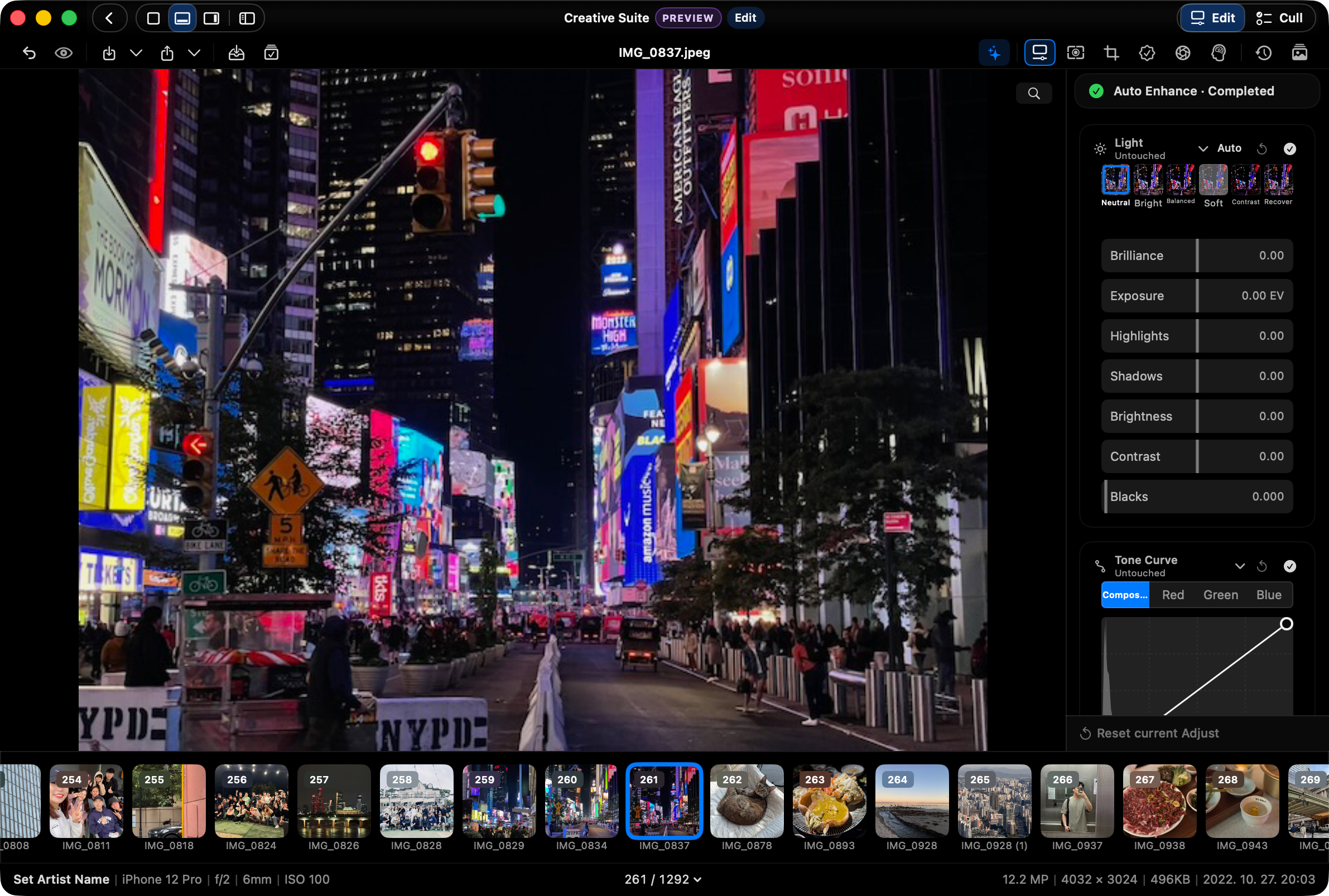
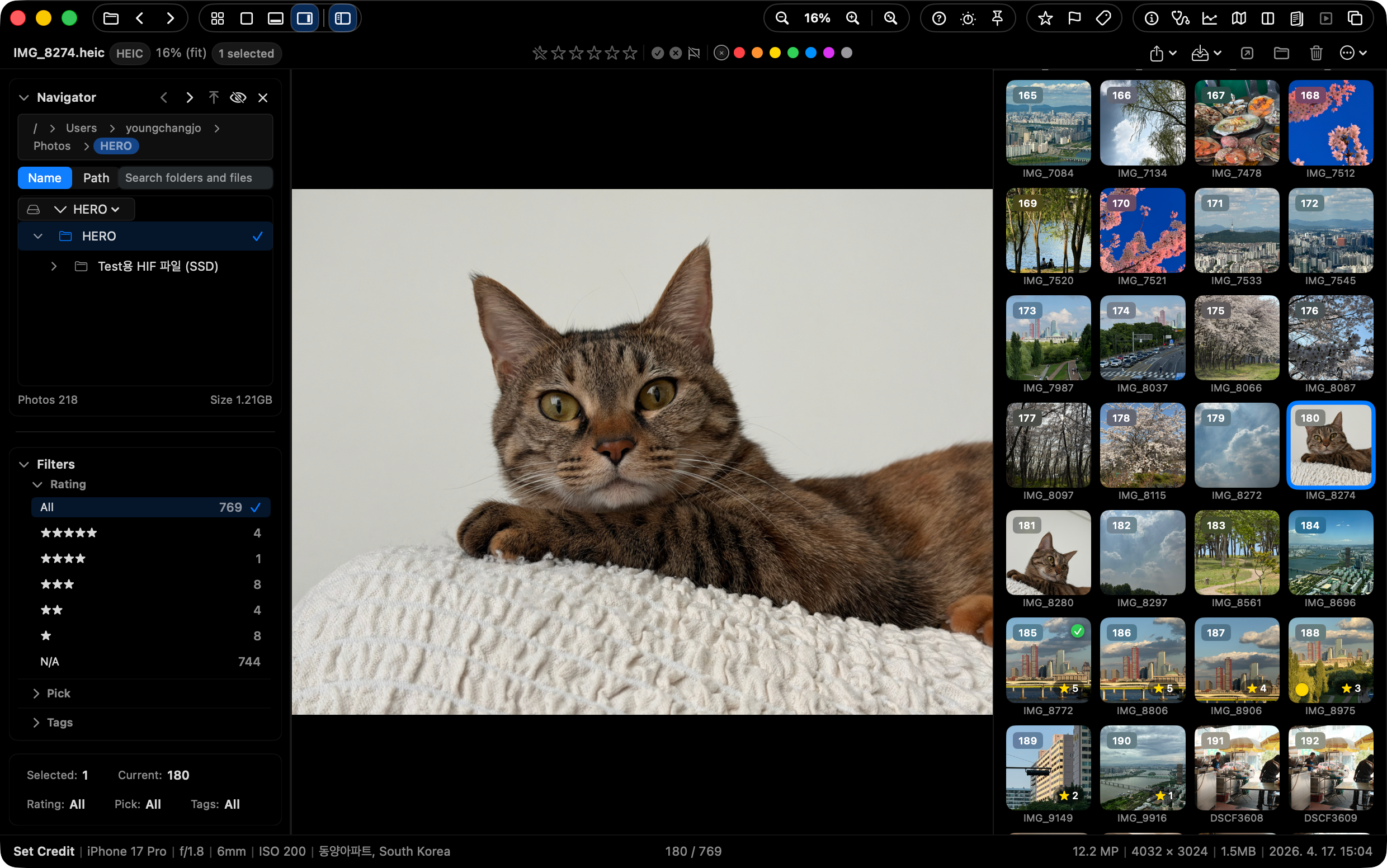
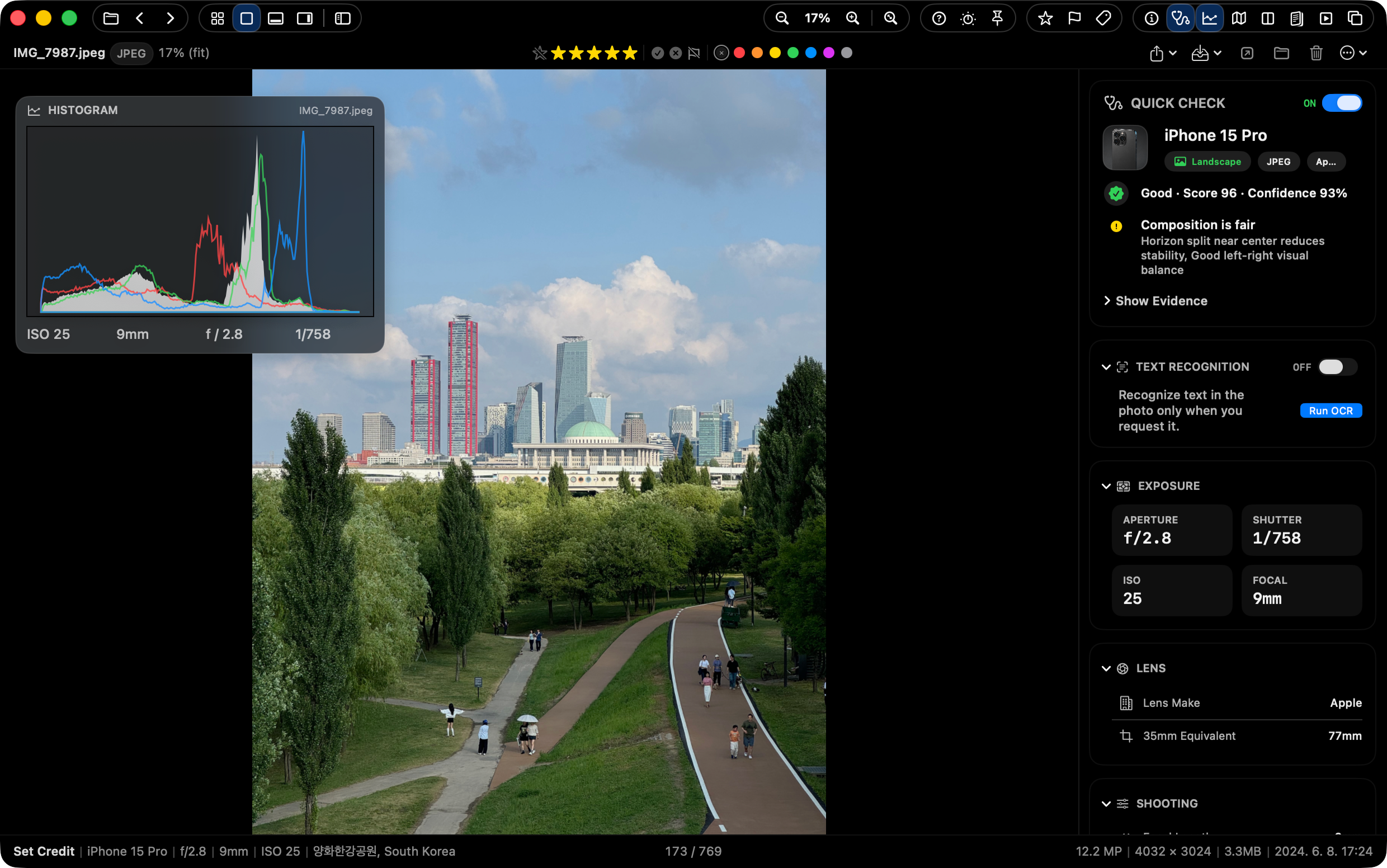
Open Pro Layout View with Tab to keep folders, filmstrip context, ratings, color labels, map, histogram, and batch actions inside the viewer flow.

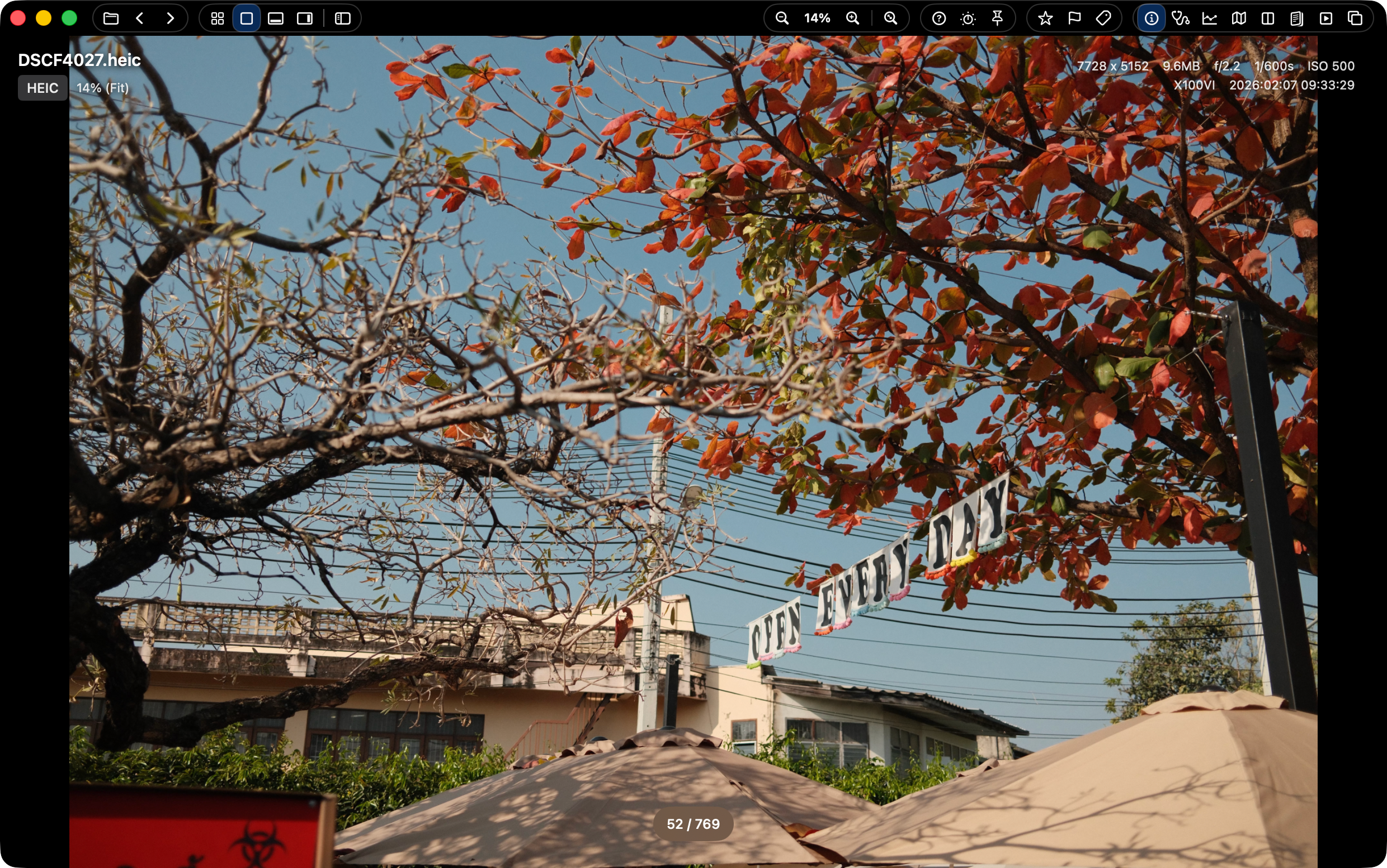
SnapView Pro Layout View
02

More sources and better viewing

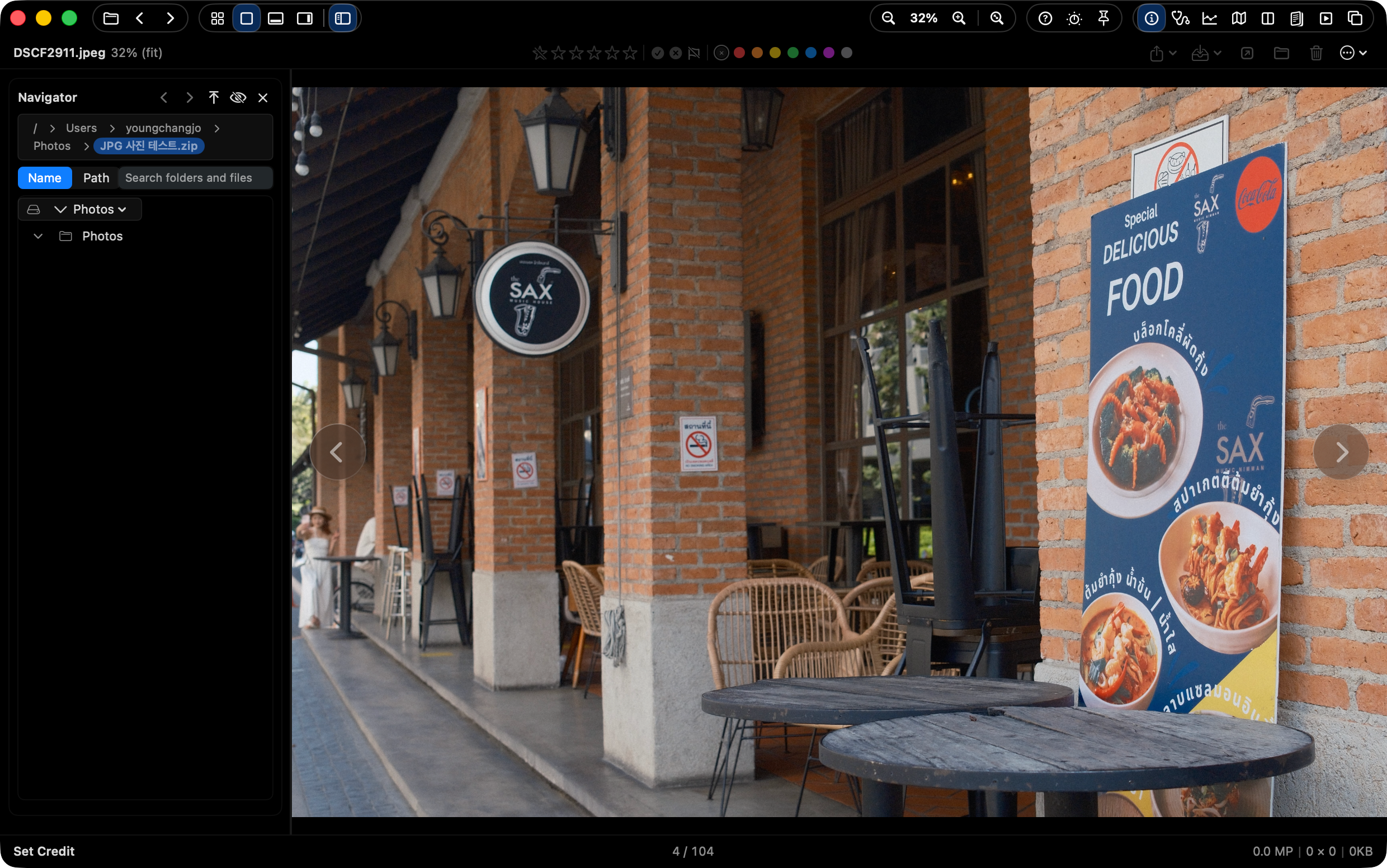
Browse local folders, ZIP archives, and Apple Photos from the same Navigator flow, with HDR viewing and wider RAW, PSD, JPEG 2000, DICOM, EXR, and TGA support.

SnapView Navigator and handoff workflow
03

Culling and sorting stay aligned

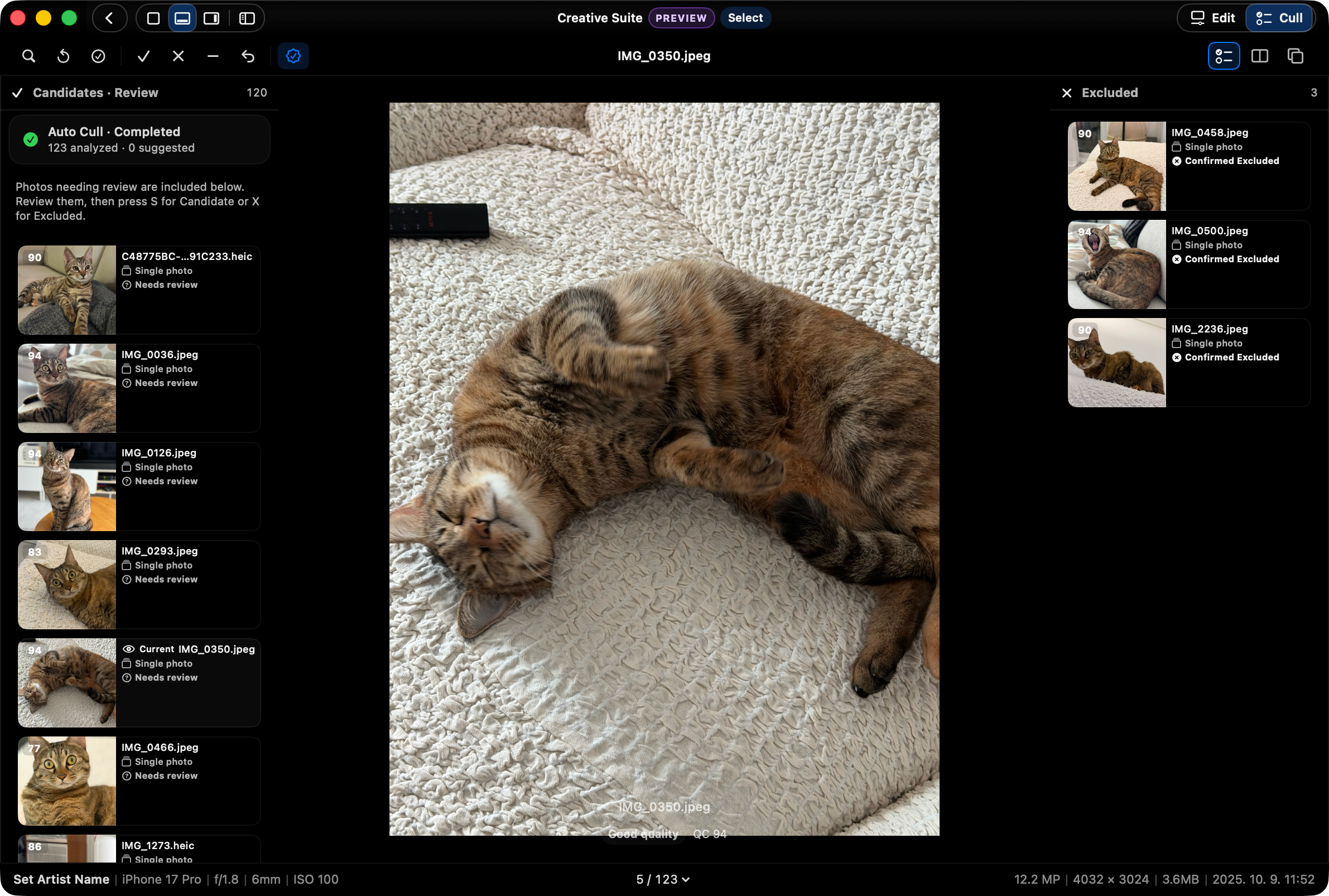
Keep sort order aligned across Main, Grid, and Filmstrip, manage candidate/final/excluded sets in Select Tray, and use Quick Organize for repeated copy or move work.

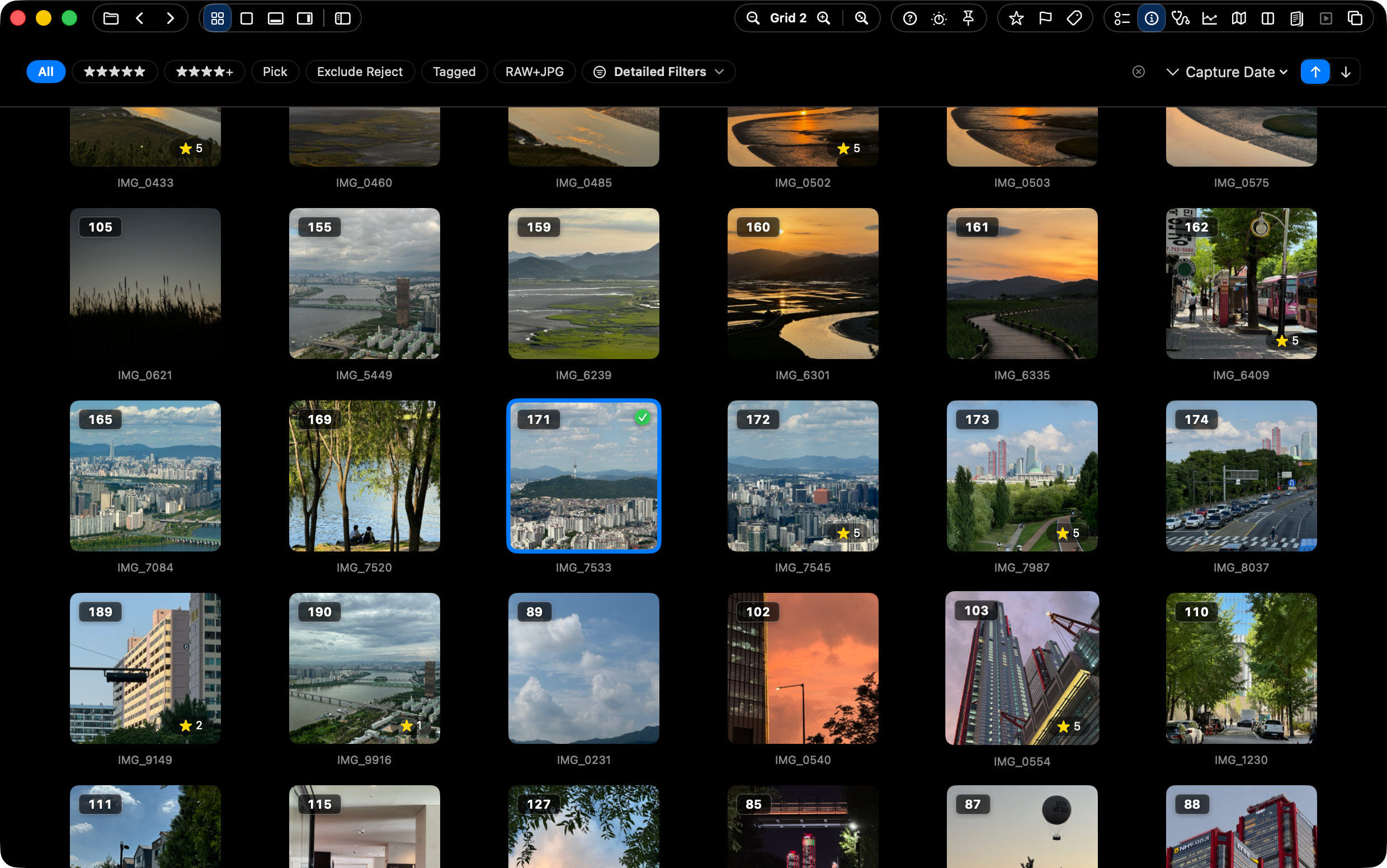
SnapView Grid sorting and culling workflow
04

Send results where they belong

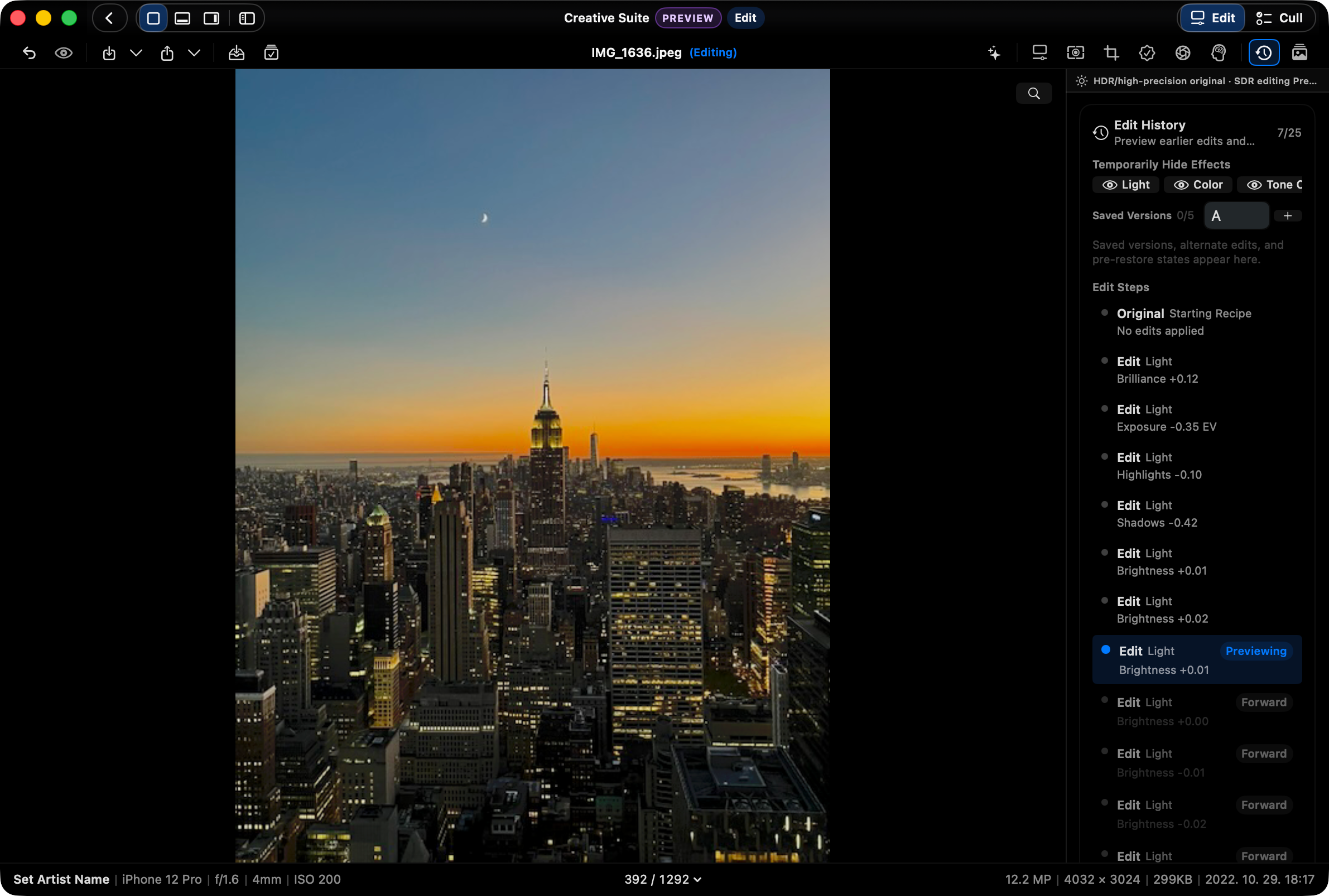
Drag selections to Finder, Desktop, editing apps, or Photos, then use Batch Actions and Print/PDF save for direct handoff.

SnapView batch action preview and handoff workflow

Built for people who:

  • Shoot travel, daily life, or family photos
  • Use RAW but don’t want heavy software
  • Just want to view fast and keep the best
  • Prefer simple folder-based workflows

SnapView is built for people who want simple viewing first, and light organization only when needed.

1. A fast, minimal photo viewer

Open instantly with no setup, and see only what matters. SnapView keeps viewing smooth and enjoyable, not heavy or distracting. (W, 0/9)

SnapView Intro/Main view

2. Scan hundreds at a glance with Grid

Even after a big shooting day, Grid stays easy to scan. See everything at once and jump to the shot you want without breaking flow. (Q, =/-)

SnapView grid view

3. Open ZIP albums without extracting

Open ZIP archives directly and review the images inside like a normal folder. It keeps archived albums useful without a separate extraction step.

SnapView ZIP archive browsing

4. Switch into Pro Layout View when the review gets serious

Press Tab for a denser review layout with action and info strips. Ratings, flags, labels, map, histogram, and batch actions stay available without leaving the viewer.

SnapView Pro Layout View

5. Smart Tools to Assist Your Judgment

Pick the best shot instantly and strip away exact duplicates. AI analysis (K), multi-compare (C), and duplicate cleanup tools (Cmd+Shift+D) make your choices fast and precise.

SnapView smart assist tools

Why does it feel so light?

SnapView keeps photo viewing enjoyable, not a project.

Instant folder open pictogram

No import wait

Open a folder and start reviewing. There is no import step.

No catalog database pictogram

No catalog building

No catalog file means launch and navigation stay light.

Mac-native speed pictogram

Mac-native performance

Keyboard input and view changes stay tuned for Mac-native flow.

Focused essentials pictogram

Only what you need

Viewing, picking, and organizing tools stay close without clutter.

EARLY FEEDBACK

The first thing people notice is speed.

Mac App Store 5.0

50+ App Store ratings worldwide. Every current rating is 5-star.

US App Store · 5.0

"Open a folder and you're instantly browsing."

Korean App Store · 5.0

"Great for first-pass photo selects before editing."

US App Store · 5.0

"The thumbnail view is excellent, and responsiveness is impressively fast."

Korean App Store · 5.0

"Bridge felt heavy. SnapView opens photos fast."

US App Store · 5.0

"Light, instant browsing, and easy comparison."

Korean App Store · 5.0

"Viewing, comparing, and organizing images feels intuitive and fast."

Korean App Store · 5.0

"It made photo browsing on my Mac much easier."

Korean App Store · 5.0

"Lightweight viewing, picking, and deleting feels just right."

Korean App Store · 5.0

"It feels better than many paid photo tools."

Korean App Store · 5.0

"Fast enough to replace heavier photo-management apps."

Korean App Store · 5.0

"Filmstrip and folder browsing make choosing photos faster."

Korean App Store · 5.0

"Fast, light, and convenient."

AI doesn’t replace your eye

Quick Check highlights useful signals like closed eyes, focus, and exposure. It supports your judgment without forcing decisions.

  • See closed-eye, focus, and exposure signals
  • Reason-based hints for faster picks
  • You stay in control
SnapView quick check panel

Seamless Integration with Lightroom & Finder

Your blazing-fast first culling pass in SnapView instantly syncs with your work tools, without heavy catalog imports.

Lightroom handoff pictogram

Lightroom handoff

Move first-pass selections straight into the editing workflow.

XMP sidecar sync pictogram

XMP sidecar sync

Carry ratings, Pick, and Reject through XMP sidecars.

Finder color tags pictogram

Finder color tags

Color labels stay aligned with native Finder tags.

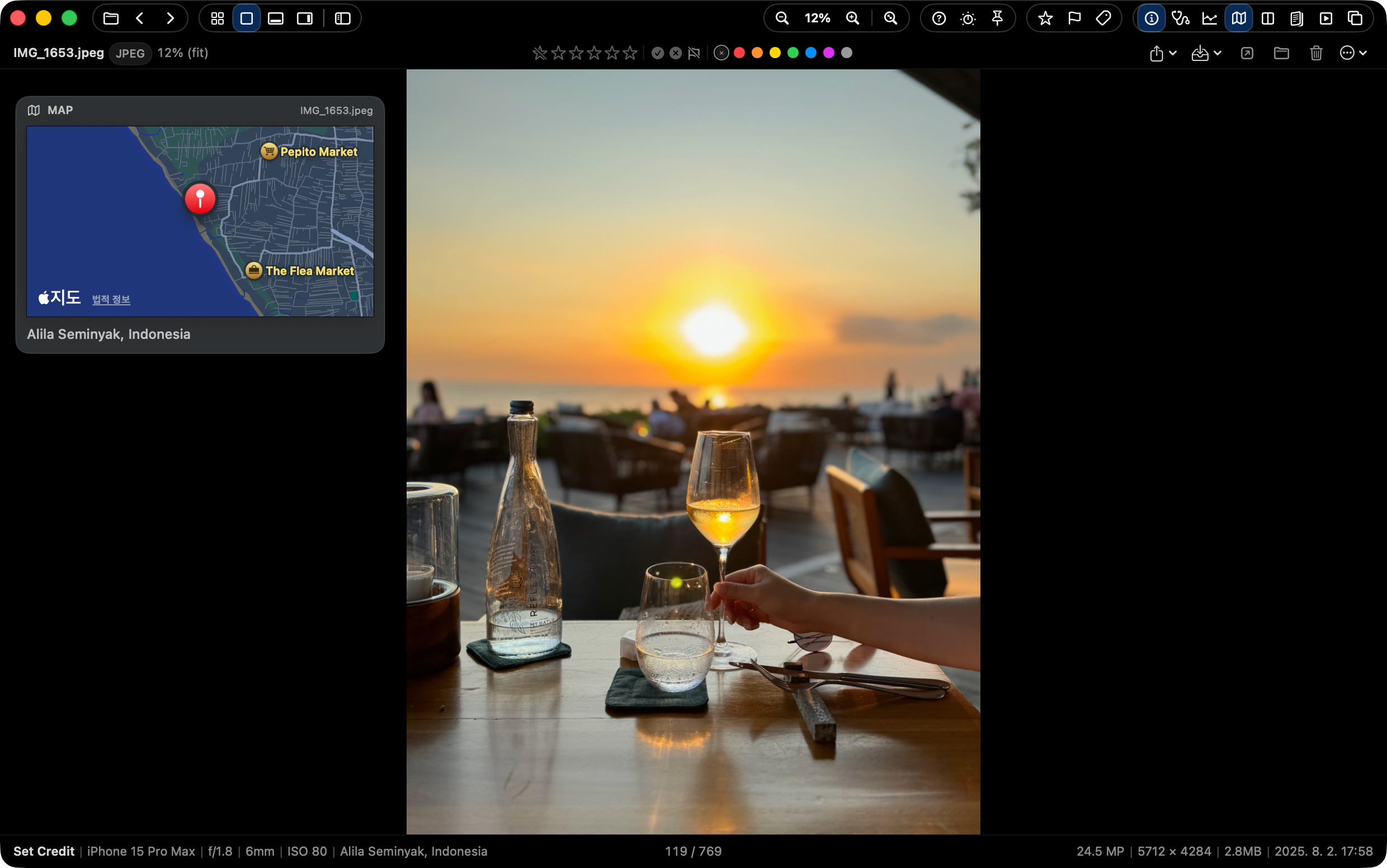
See where the shot happened

When GPS data exists, SnapView keeps location context close to the review surface. Check the place, camera data, and image context without leaving the flow.

  • Map location context
  • Camera and EXIF details
  • Review without opening another app
SnapView GPS map context

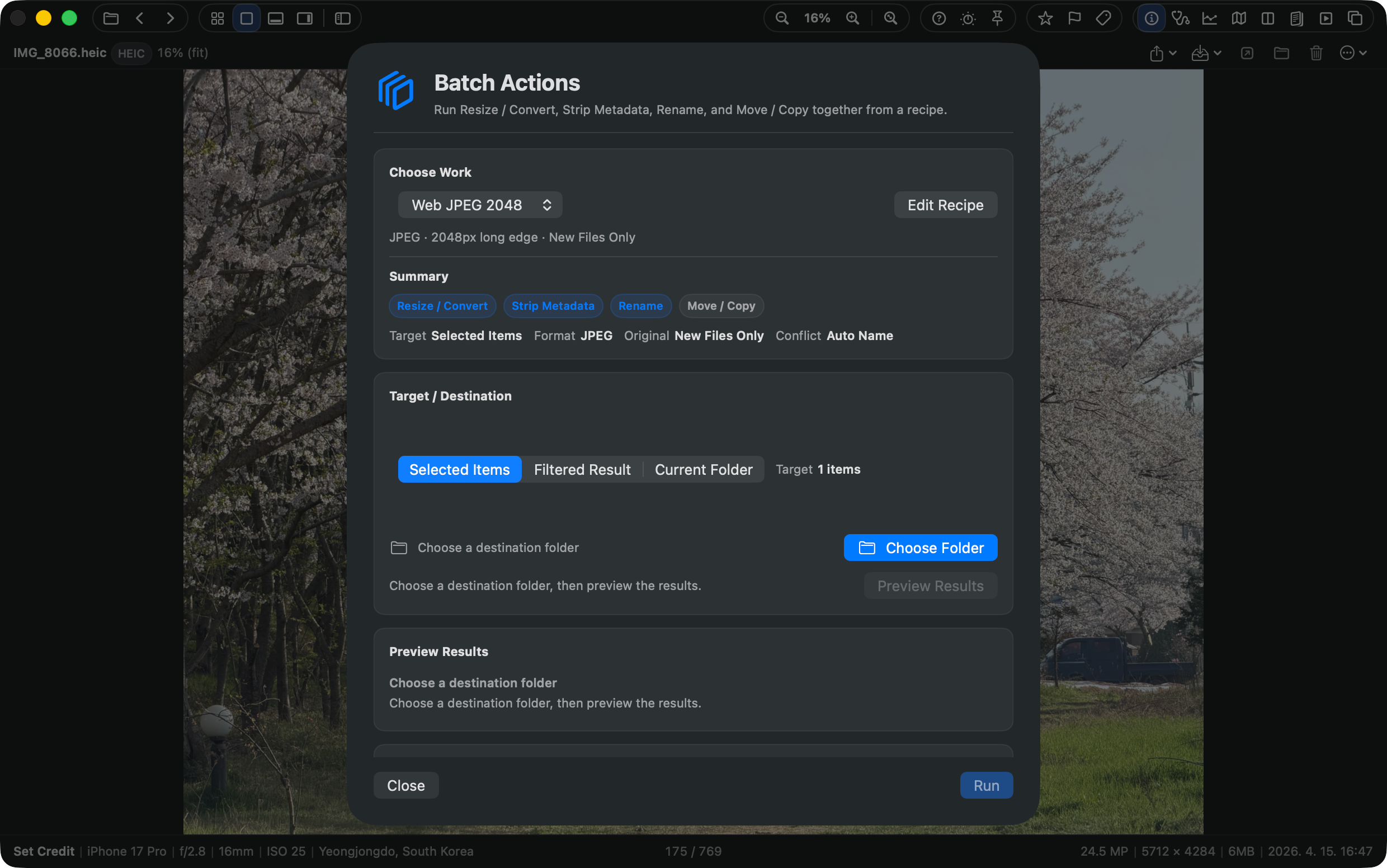
Preview batch actions before you run them

Turn a finished review set into action. SnapView keeps up to three visible recipes for previewed copy, move, and export workflows.

  • Preview before execution
  • Copy, move, and export recipes
  • Apply to the selected review set
SnapView batch action preview

Specifications & Features

OS macOS 15.5 or later (Apple Silicon and Intel Mac universal)
Formats RAW (ARW, CR2, CR3, NEF, NRW, DNG, RAF, ORF, RW2, PEF, SRW, 3FR, FFF, CRW, RWL, SR2, IIQ)
JPG, PNG, GIF, BMP, WEBP, HEIC, HEIF, TIFF, PSD, JPEG 2000, DICOM, EXR/HDR, TGA, ICNS
Video: MP4, MOV, M4V
Writes XMP Sidecar (Ratings, Flags)
+ Direct ZIP Archives Browsing
Performance Metal Accelerated, Zero-Import Delay
Key Features
  • No import process or heavy catalog generation
  • Ultra-fast directory browsing & predictive keyboard navigation
  • Browse ZIP archives in real-time without extracting
  • 4 Versatile View Modes (Main / Grid / Filmstrip / Pro Layout)
  • Pro Layout View with action strip, info strip, and thumbnail context
  • Quick Organize with 3 visible presets, GPS map review, and 3 previewed batch recipes
  • Apple Photos browsing, Photos-style Favorite heart, and Photos ↔ disk copy workflows NEW
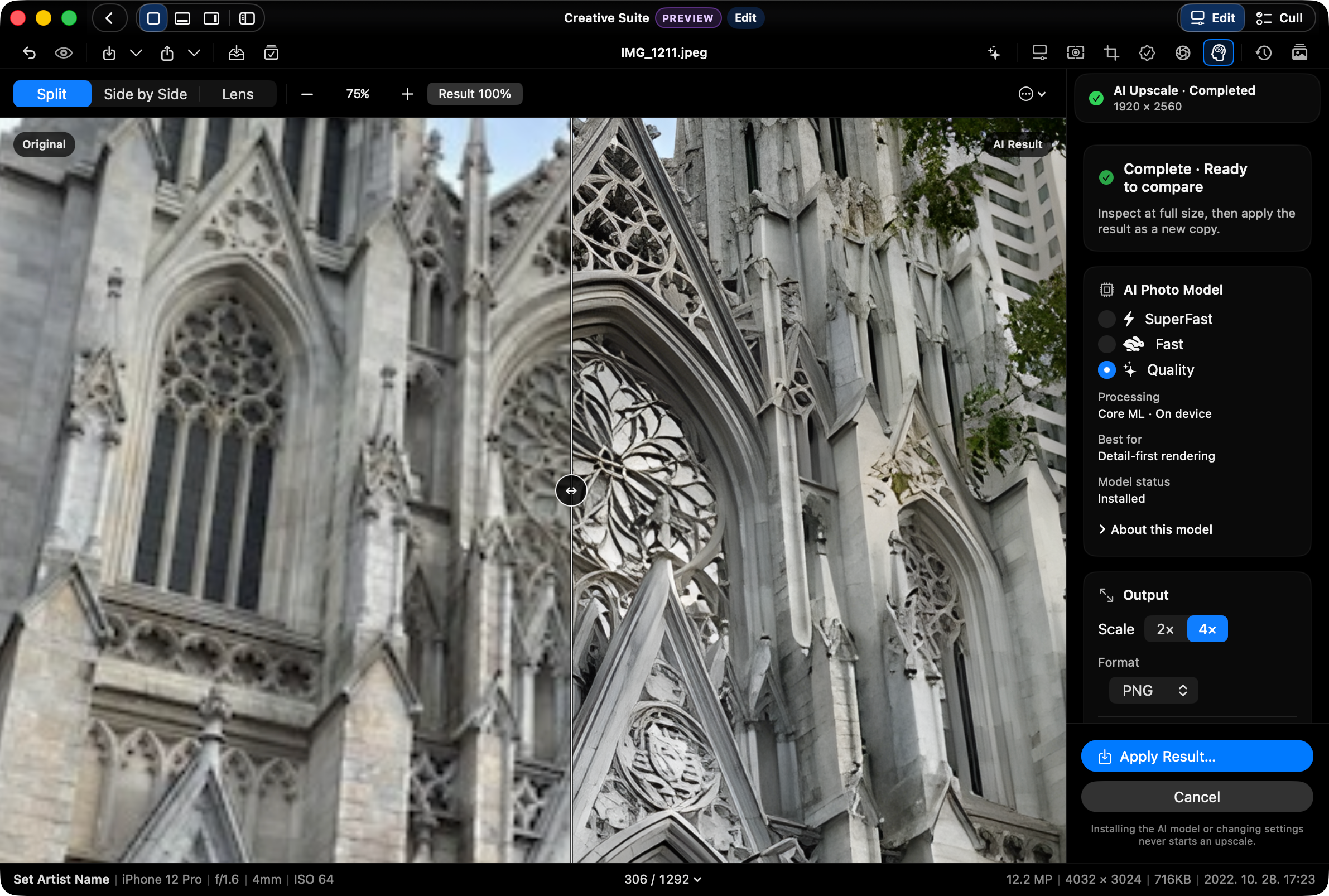
  • HDR photo viewing, quick HDR/SDR switching, and non-AI upscaling NEW
  • Consistent sorting across Main, Grid, and Filmstrip with counter/context-menu controls NEW
  • Select Tray candidate/final/excluded sets and selected-original handoff NEW
  • Drag handoff from Main, Grid, and Filmstrip to Finder, Desktop, editing apps, and Photos NEW
  • Command-P print and PDF save for current images, selections, folders, and contact sheets NEW
  • Multi Monitor Workspace for Navigator, Quick Check, Histogram, Map, Filmstrip, and Select Tray panels NEW
  • Persistent thumbnail disk cache for repeat Grid, Filmstrip, and Navigator browsing NEW
  • Optional Supporter Pass for continued development, with Mac App Store purchase restore NEW
  • Real-time playback/view of RAW, HEIC, and animated formats
  • Adjustable Smart Decoding Modes (Speed vs Quality priority)
  • Intuitive Fullscreen Slideshow review with transition effects
  • Real-time culling sync with Lightroom (XMP Rating, Pick/Reject)
  • Seamless integration with macOS Finder color tags
  • Visual Duplicate checking and batch cleaner
  • Side-by-side multiple image Compare Mode (up to 4 images)
  • AI-assisted Quick Check (flags for blink, focus, exposure)
  • Image Export for smaller sharing copies (JPEG/PNG, social presets)
  • On-device OCR to recognize and copy text from photos
  • Capture date/GPS edits for supported photos
  • Intuitive Histogram, detailed EXIF info, and GPS Map panels
  • Seamless keyboard-centric File Management (Select/Copy/Paste/Delete)
  • Convenient Always On Top mode for multi-tasking

The lightest way to view your photos.

Free. No catalog. No waiting.

The DMG version provides unrestricted file management and the latest features first. The App Store version is a stable sandboxed release, which may require permission prompts for file access.